
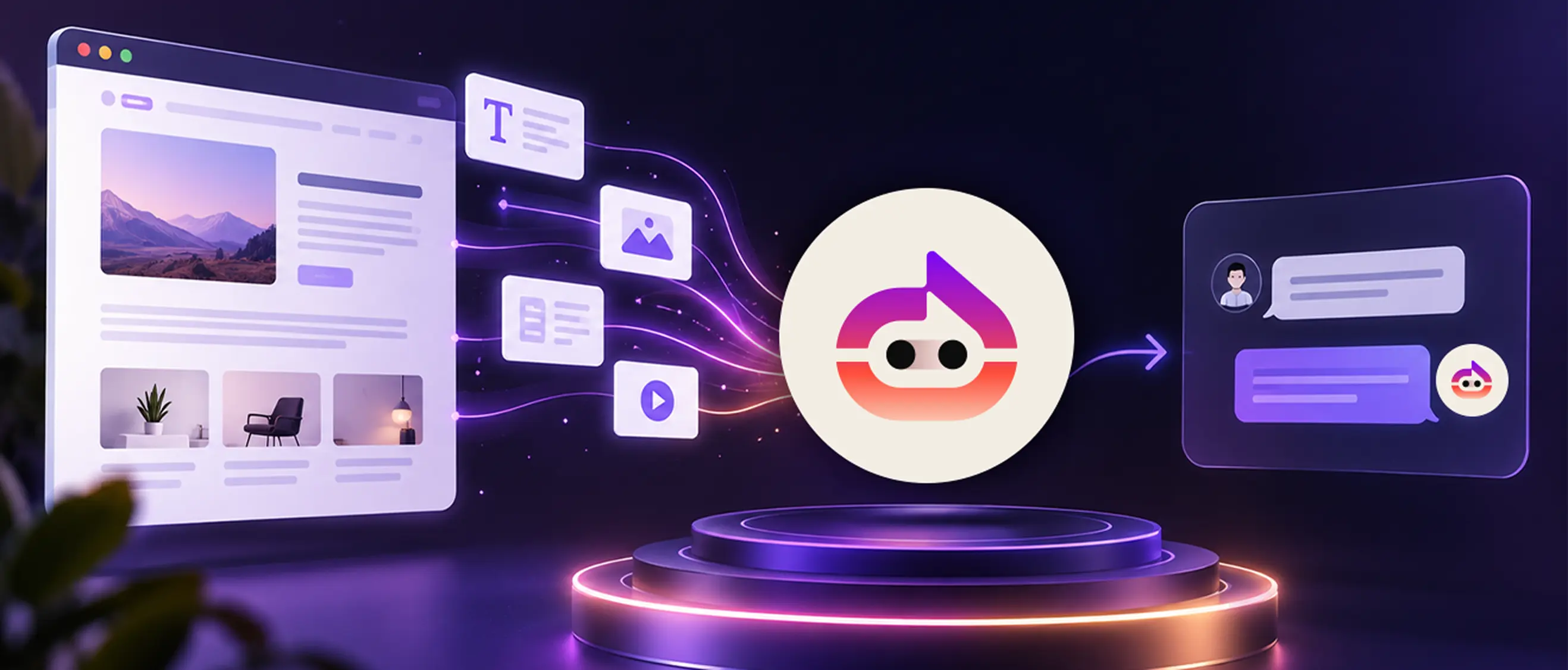
Quick answer: An AI chatbot learns from your website by reading the pages and documents you point it to. It scans that text, breaks it into smaller pieces, and uses those pieces to build answers. When a visitor asks something, the bot matches the question to your content and replies from what it read.
You've probably wondered how a chatbot can answer questions about your business the moment you set it up. It didn't memorize your site. It learned from the content you gave it.
For a small business, that detail matters. The chatbot's answers are only as good as the pages and files it reads. So it helps to know what it learns from, how that learning happens, and what you can do to keep the replies accurate.
What "learning from your website" really means
A chatbot doesn't think the way a person does. It doesn't browse your site like a customer would.
Instead, it reads the text you give it and turns that into a reference library. When someone types a question, the bot looks through that library, finds the closest match, and writes a reply in plain language.
So "learning" here means two things: taking in your content, then using it to answer. With Witzo, the content comes from your own website URLs and the documents you upload. Nothing generic, just your material.
The sources a chatbot learns from
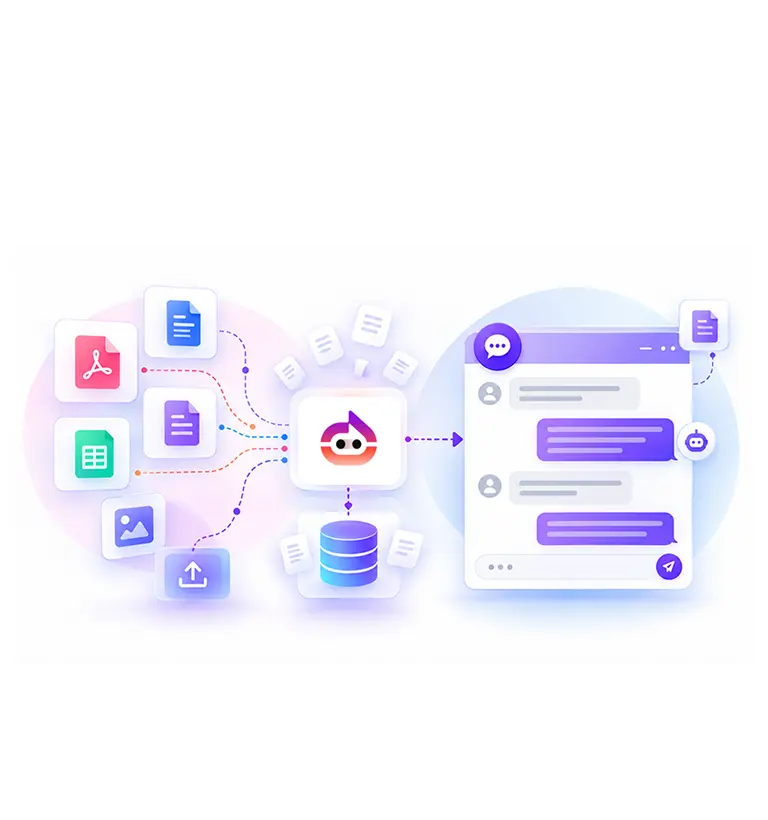
Witzo gives you two ways to feed the chatbot, both in the Data Sources section of the dashboard.
Your website URLs: Add the pages you want it to know. Your homepage, services pages, pricing details, shipping and returns, an FAQ page. Each one becomes part of what the bot can answer from.
Your uploaded documents: Some answers live in files, not on a page. You can upload them in these formats: PDF, DOC, DOCX, CSV, XLS, XLSX, and TXT. A price list in a spreadsheet, a product manual in a PDF, a policy in a Word file. All of it is fair game.
The mix is the point. Public pages cover the basics; private documents fill in the detail your site doesn't show. A visitor reading your homepage might never see your full warranty terms, but the bot can, once you upload the file.
Start small if you like. Add a handful of key pages and one or two core documents, then grow the set as you learn what people ask.
How the learning actually works
Once you add a source, the chatbot processes it in a few quiet steps.
First, it reads the text from each page and file. Then it splits that text into smaller chunks, because a short, focused piece is easier to match against a question than a whole page. After that, it stores those chunks so it can search them fast.
When a visitor asks a question, the bot scans your chunks for the ones that fit, then writes an answer based on them. That's why it can reply in seconds. It isn't writing from memory, it's pulling from your content and putting it into words.
Think of it like a new hire on day one. You hand them your price list, your policies, and a tour of the site. They don't know your business by heart yet, but they can look up the right page fast and give a customer a clear answer. The more you show them, the better they get.
Train a chatbot on your own site with Witzo's free plan and see how it answers.
Why training on your own content beats a generic bot
A general AI model knows a little about everything and the specifics of nothing about your business. It can't tell a customer your return window or whether you stock a part.
A chatbot trained on your website can. It answers from your real prices, policies, and product details. That's the difference between a reply that sounds confident and one that's correct.
For an SMB, correct matters more than clever. A wrong answer about shipping or hours sends a customer away and makes more work for your team. A right answer, given fast, often closes the gap between a curious visitor and a paying one.
You also stay in control of what it knows. Because the bot learns from sources you pick, you decide what it can talk about and what it leaves to a person.
What affects the quality of its answers
Since the bot learns only from what you give it, a few things shape how well it performs:
- Coverage If a topic isn't in your pages or files, the bot has nothing to answer from. Add the sources that hold your common questions.
- Clarity Clean, well-written content is easier to match than a cluttered page. Plain answers in your source text lead to plain answers in the chat.
- Freshness Old content produces old answers. Update a source after a price change or a new policy, and the bot reflects it.
- Structure Short sections and clear headings help the bot find the right chunk for a question.
You don't need perfect content. You need the right content, kept current.
What it can't learn
A chatbot won't know things you never gave it. If a detail isn't on a page or in a file, it can't invent the right answer, and a guess is worse than a polite "I'm not sure."
It also doesn't pick up changes on its own the moment you make them on paper. You update the source, and the bot learns from the new version.
And it won't replace a person for complex or sensitive cases. It handles the common, repeatable questions well; the rest still needs your team.
If privacy or compliance matters for your use, keep in mind that compliance also depends on your legal, operational, and business processes, not the tool alone.
How to help your chatbot learn better
Treat your sources like a living set, not a one-time upload.
Add the pages and files that cover your most-asked questions. Review the answers, and where the bot falls short, you'll usually find a gap in your content rather than a flaw in the bot. Fill the gap with a clearer page or a fresh document.
Witzo also helps you spot those gaps. The dashboard tracks Conversations, captures Leads, shows Analytics, and collects Feedback through visitor chat ratings. You can read what people ask and where answers fall flat, then improve the source behind them.
A quick example
Picture a small appliance repair shop. The owner adds the website's services and pricing pages, then uploads a PDF of warranty terms.
A visitor asks whether a two-year-old dryer is still covered. The bot reads the warranty file, finds the relevant lines, and answers, with no phone call and no waiting. Later, the owner sees in Analytics that people keep asking about weekend availability, so they add an hours page. The next visitor with that question gets a straight answer.
That loop, ask then improve, is how a chatbot keeps getting more useful over time. Each gap you close means one more question answered without your help.
The takeaway
An AI chatbot learns from your website by reading the pages and documents you choose, breaking them into searchable pieces, and answering from them. Give it good sources, keep them current, and it becomes a steady first responder for your site.
None of this takes a technical background. You pick the pages, upload the files, and review the conversations now and then. The bot does the reading and matching, and your job is simply to give it the right material to learn from. Over a few weeks, the questions you used to answer by hand start answering themselves.
Start free with Witzo and train a chatbot on your own content. Compare plans on the pricing page when you're ready for more.