Human Handoff Support
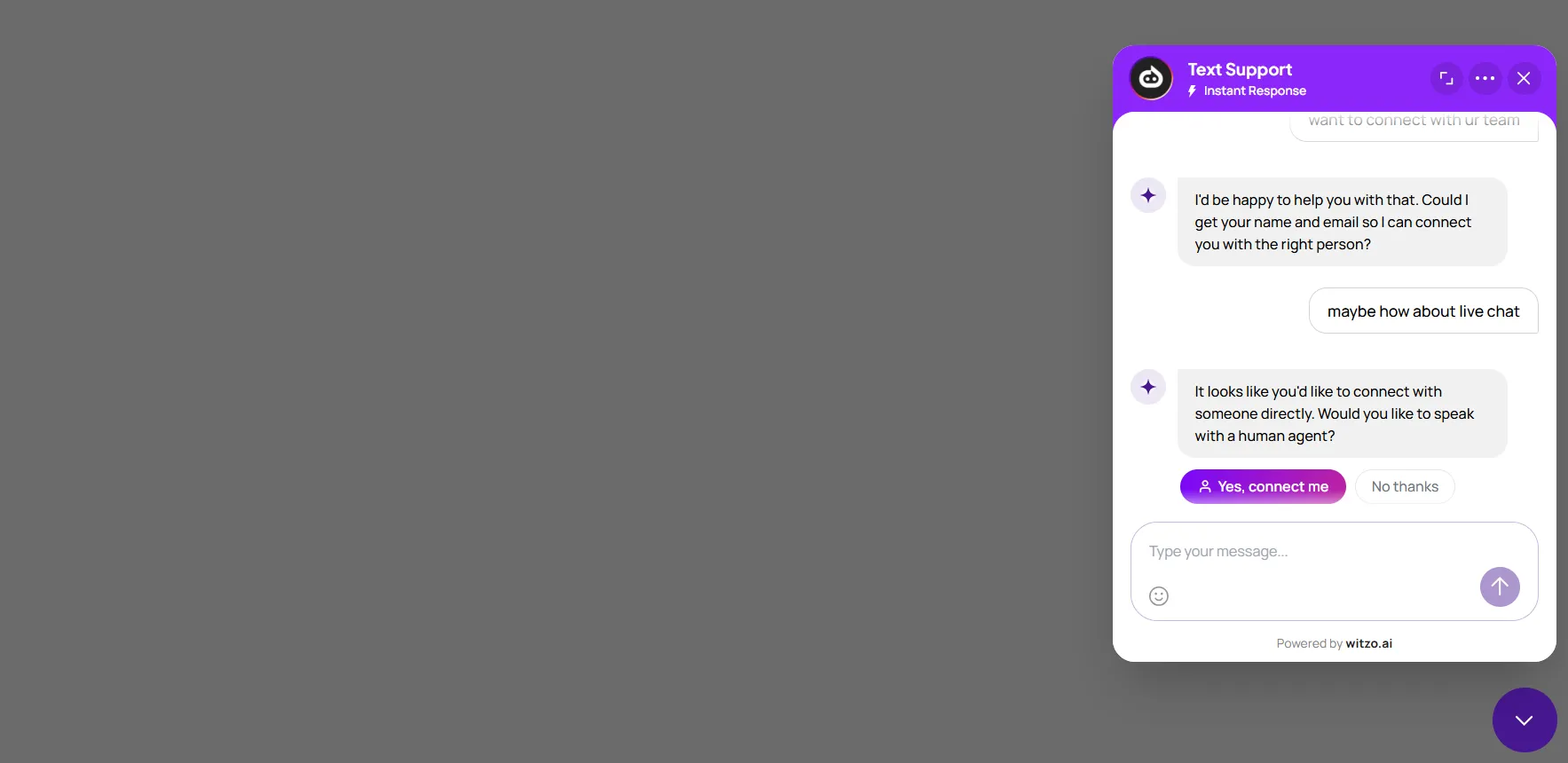
Human handoff lets visitors request a real support team member when they need direct assistance beyond what the AI can provide.
How the Handoff Works
- The visitor asks to speak with a person from the widget.
- The request is recorded and shown to the support team in the dashboard.
- An available teammate accepts the request and continues the conversation.
- The visitor sees that their request is being reviewed or accepted.
Agent-Side Handoff Inbox
When a visitor requests a human, the request appears in the dashboard inbox for the support team.
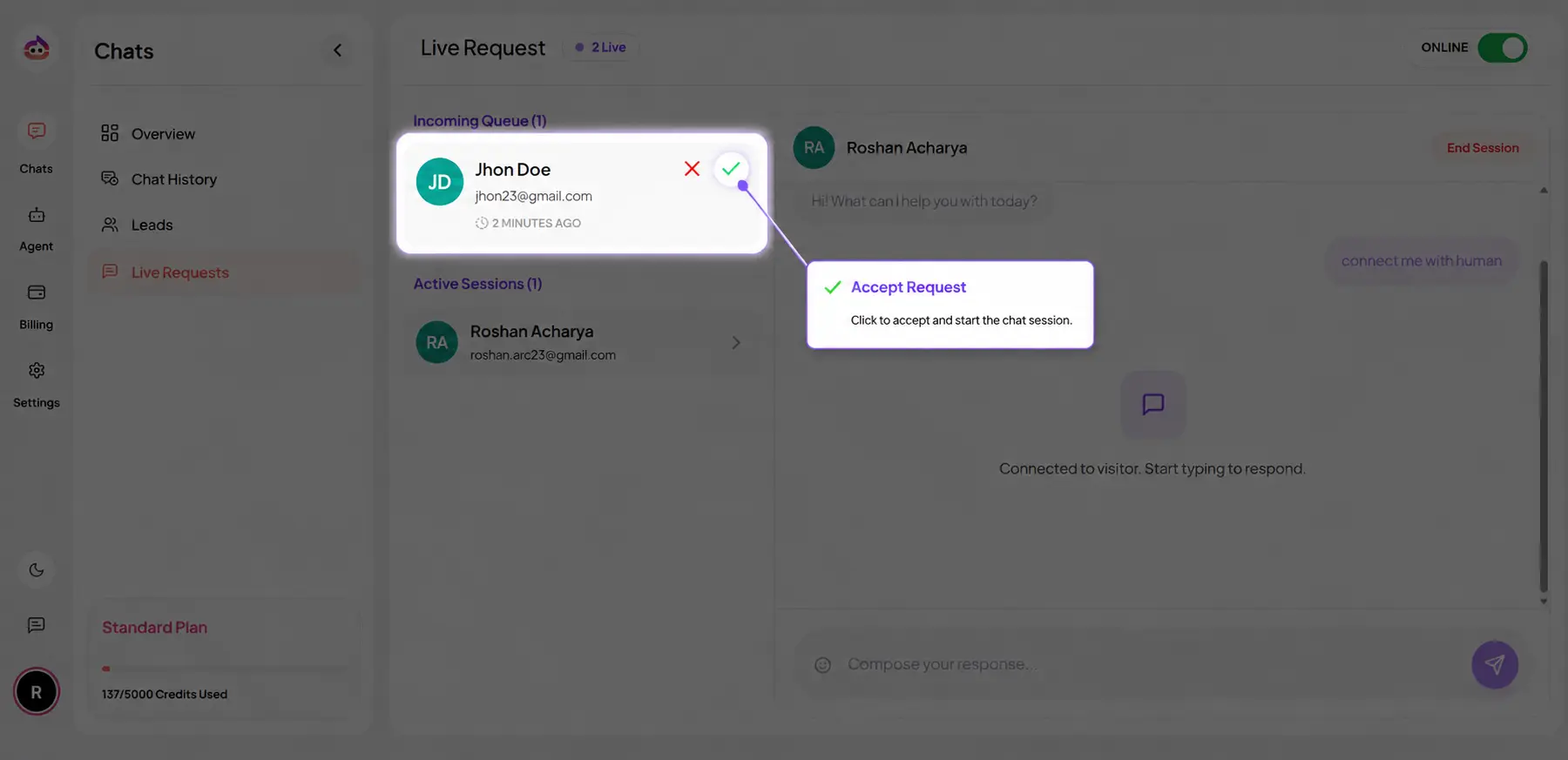
Agents should review:
- visitor identity or lead details, if available
- the conversation history that led to the request
- urgency and ownership
Live Reply View
After an agent accepts the request, the active conversation becomes the working context for the live reply. Teams should confirm:
- the visitor can see that a human has joined
- the agent has enough prior context to avoid restarting the conversation
- the handoff status is updated as the conversation progresses
Availability and Business Hours
Human handoff should be staffed according to your operating model.
- If agents are online, requests can be accepted quickly from the dashboard.
- If no agent is available, the visitor should still receive a clear waiting message.
- If your team does not cover all hours, explain the expected response window in your workflow or site copy.
What the Visitor Sees While Waiting
While a request is pending, the visitor should understand that:
- a real person has been requested
- the conversation may not continue instantly
- a team member will reply when available
If your team collects email or lead details during the handoff request, use that information for follow-up when a live reply cannot happen immediately.
If Nobody Responds
If no agent accepts the request:
- the original chat history remains available for review
- your team can continue follow-up through lead workflows
- the visitor should not be left thinking a live reply is already active
Define an internal SLA so pending requests are checked regularly during staffed hours.