Upload Documents
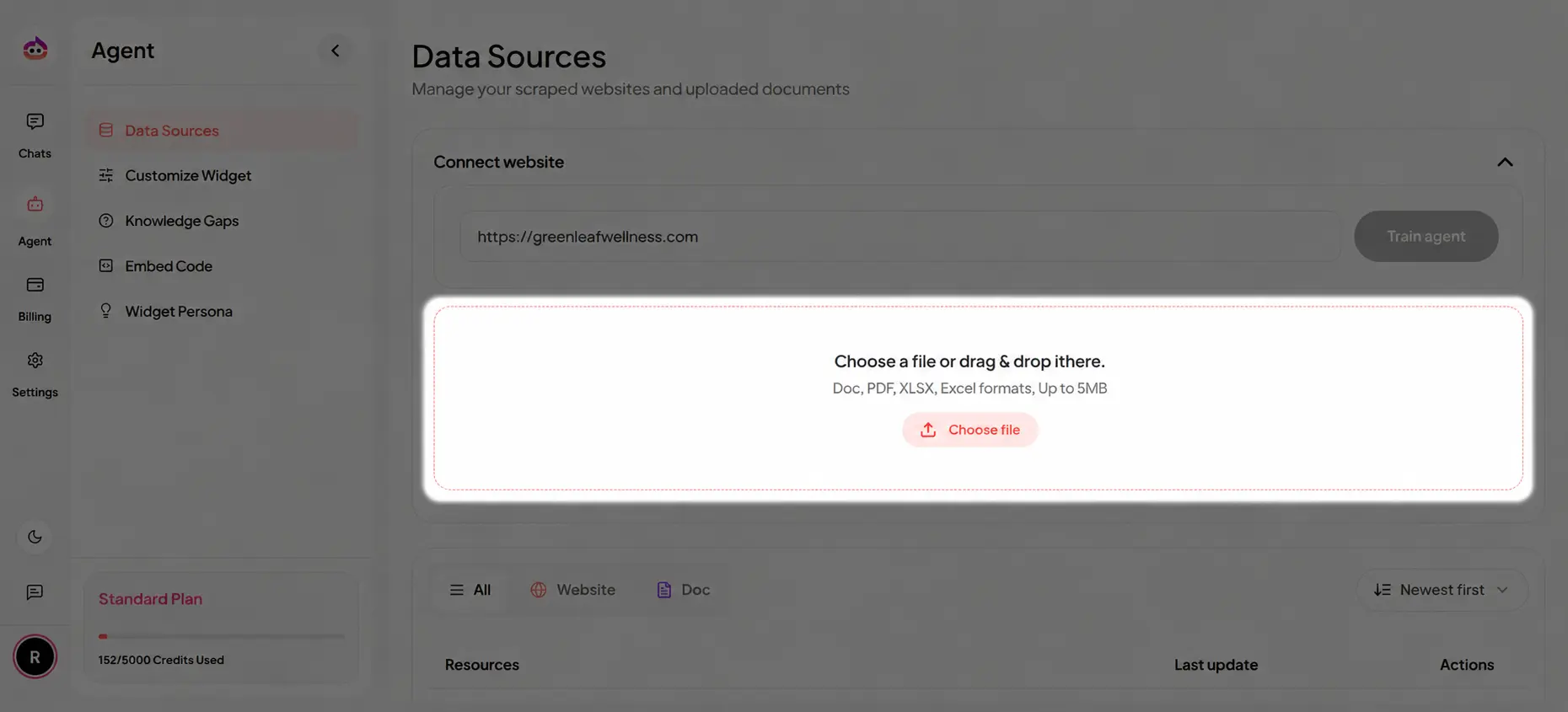
Upload documents to expand your knowledge base beyond website content. Use document uploads when your website does not include every piece of critical information.
Overview
Document uploads let Witzo incorporate product catalogs, pricing spreadsheets, policies, manuals, and other business files into its knowledge base.
How to Upload
- Go to Data Sources from the dashboard.
- Click Choose a file or drag and drop your document into the upload area.
- Select a supported file from your device.
- Wait for the upload and processing to complete.
- Once processed, the document becomes available as a knowledge source for your agent.
Supported File Types
( DOC, DOCX, PDF, CSV, XLS, XLSX, TXT )
Plan Restrictions
| Plan | Document limit | Notes |
|---|---|---|
| Starter | 4 documents | Good for a small starter knowledge base |
| Basic | 10 documents | Suitable for solo teams and smaller content sets |
| Standard | 50 documents | Supports larger knowledge bases |
| Enterprise | Unlimited | Subject to the agreed operational scope |
File Size and Page Count
- Maximum file size per uploaded document: 5 MB
- Maximum page count depends on your active plan and the practical document volume supported within that plan's document allowance
When working with long PDFs or manuals, split very large source material into smaller topic-specific files if upload or processing becomes difficult.
File Size and Processing Notes
- Large files take longer to upload and process.
- Very large documents can create more chunks and may reduce retrieval precision if they mix many unrelated topics.
- Keep files focused and structured wherever possible.
- If a file is corrupt or unsupported, it should be replaced with a clean version before retraining.
Scanned PDFs and OCR
Scanned PDFs without selectable text may not extract correctly.
- if a PDF is image-only, text extraction may be incomplete
- OCR quality depends on the source document quality
- if an uploaded file does not produce usable text, convert it to a selectable-text version before uploading again
- if the parser rejects a file because it is too large or too image-heavy, trim the document to the relevant sections before retrying
Replacing Outdated Files
- Open Dashboard > Data Sources.
- Delete the outdated document.
- Upload the updated file.
- Retrain the agent.
Avoid keeping both old and new versions together unless you intentionally want both in the knowledge base.
Best Practices
- Use clear headings and sections.
- Keep one topic per document when possible.
- Remove duplicate or outdated content.
- Use source files that match the latest approved business information.