Review and Manage Scraped Pages
Review scraped pages and choose which ones to keep or remove from your knowledge base.
Overview
The Data Sources page shows all discovered website pages that Witzo has scraped. Use this page to keep relevant content in your knowledge base and remove pages that add noise or duplicate information.
View Discovered Pages
- Go to Dashboard > Data Sources.
- Click your website source.
- Review the list of discovered pages.
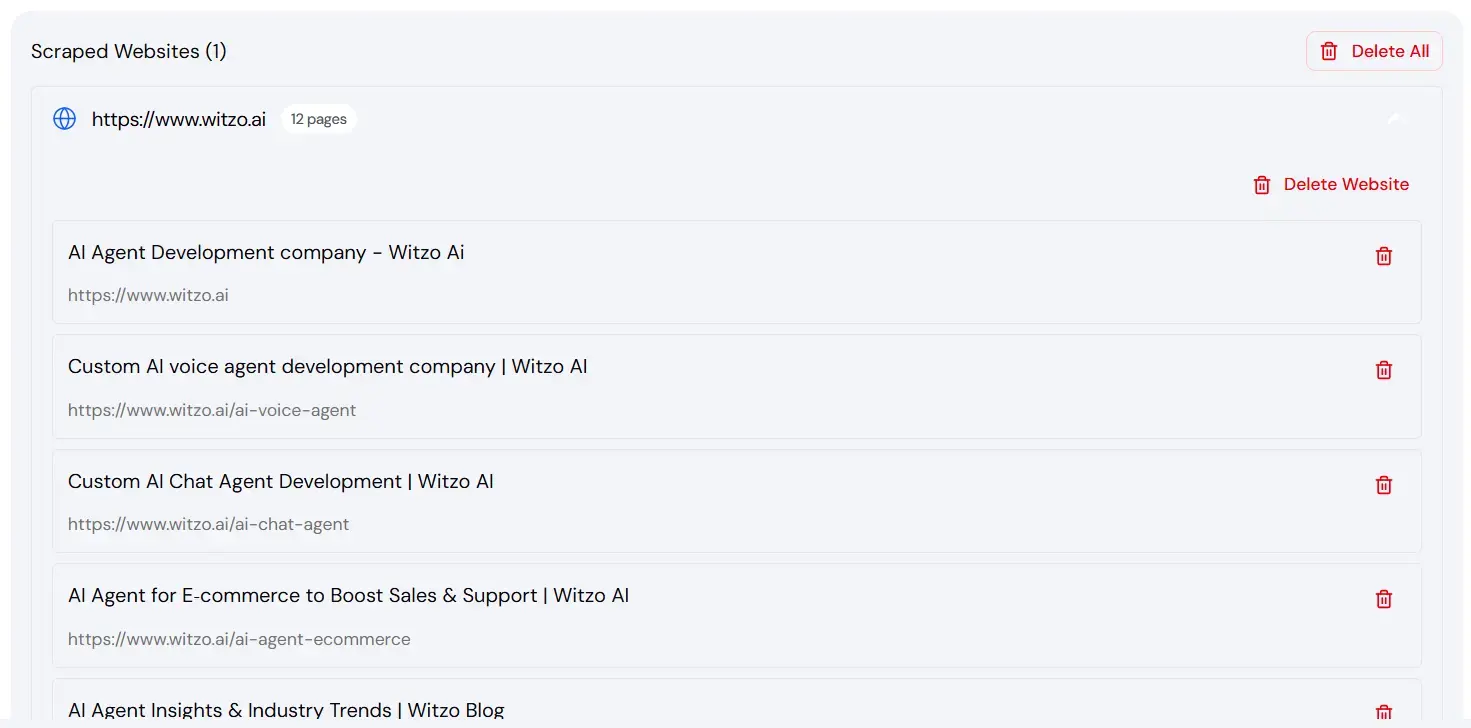
Each page listed is currently part of your training data.
Search, Filter, and Bulk Review
When the page list grows:
- search for specific URLs or titles before making changes
- filter down to the section you want to review
- review related pages in batches so you do not accidentally keep duplicate or low-value content
If your workspace supports bulk selection, use it to remove obvious groups such as archive pages, thin legal duplicates, or irrelevant utility URLs before retraining.
Removing Unwanted Pages
- Select the page you want to remove.
- Click Delete.
- Confirm removal.
Removed pages are excluded from future answers after retraining completes.
Is Deleting Reversible?
Deleting a page from the active source list should be treated as an intentional exclusion step.
- if the page is still publicly available on your website, it can usually be rediscovered on a future crawl or when the source is re-added
- if the page itself is no longer live, retraining will remove it from the active knowledge base
Why Excluding Legal Pages Improves Answers
Legal pages such as:
- Privacy Policy
- Terms and Conditions
- Cookie Policy
often contain repetitive legal language.
- this can introduce noise into AI answers
- removing them improves clarity and reduces irrelevant responses