Add Your Website for Training
Follow these steps to add your website to Data Sources so Witzo can crawl, process, and index the content for AI interactions.
Overview
Website scraping is the primary way Witzo builds your knowledge base. Once added, your pages are crawled, processed, and indexed for AI-powered conversations.
Add Your Website
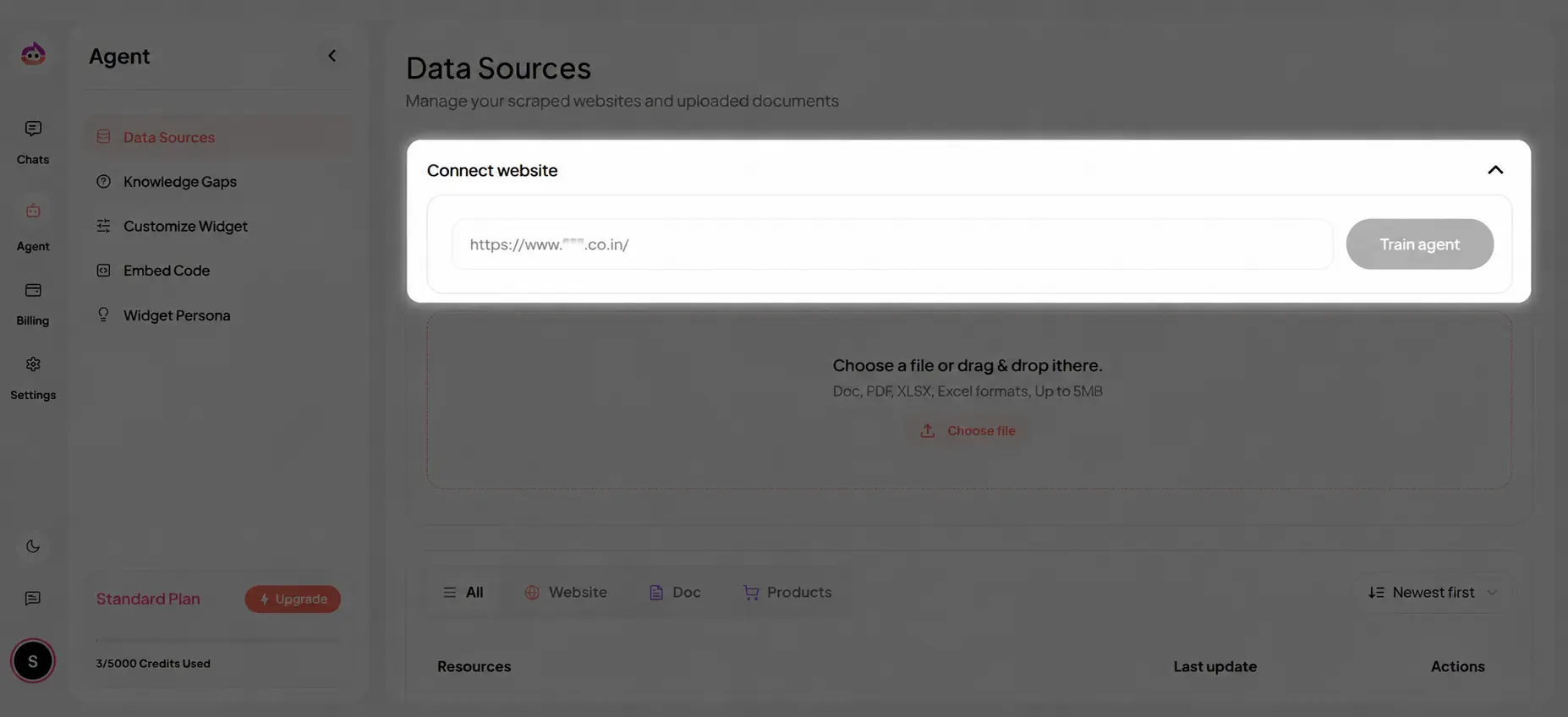
- Go to Dashboard > Agent > Data Sources.
- Open Your Website and choose Add Website URL.
- Paste the website or section URL you want to crawl.
- Click Train Agent.
- Wait for the initial crawl and indexing to complete.
How Scraping Works
Witzo automates website ingestion by crawling pages, extracting readable content, and indexing the results for retrieval. This helps responses stay grounded in your real website content.
Scraping Detection
Witzo checks for website changes before updating scraped data:
- modified content is detected by comparing page changes
- newly added URLs are identified during crawl updates
Crawl Limits
Crawl limits depend on your active subscription plan and the structure of the target website.
In practice, planning for crawl scope should include:
- how many root URLs or sites your plan allows
- how deep the crawler should go into child pages
- whether very large content sections should be added in smaller batches
Important Notes
- Only public content is scraped by default.
- Large sites may take longer to process.
- Authenticated pages are not supported.
- JavaScript-heavy sites may have partial coverage.
- Crawl availability and page volume depend on your active plan and the structure of the target site.