Visitor Ratings and Feedback
Track visitor satisfaction using simple thumbs-up and thumbs-down feedback.
Overview
Visitors can rate AI responses using a simple thumbs up/down system. Ratings help you understand response quality and improve training.
Thumbs Up and Thumbs Down
After a response, visitors can leave one of two quick signals:
- Thumbs up - the answer was helpful
- Thumbs down - the answer missed the need or was not useful
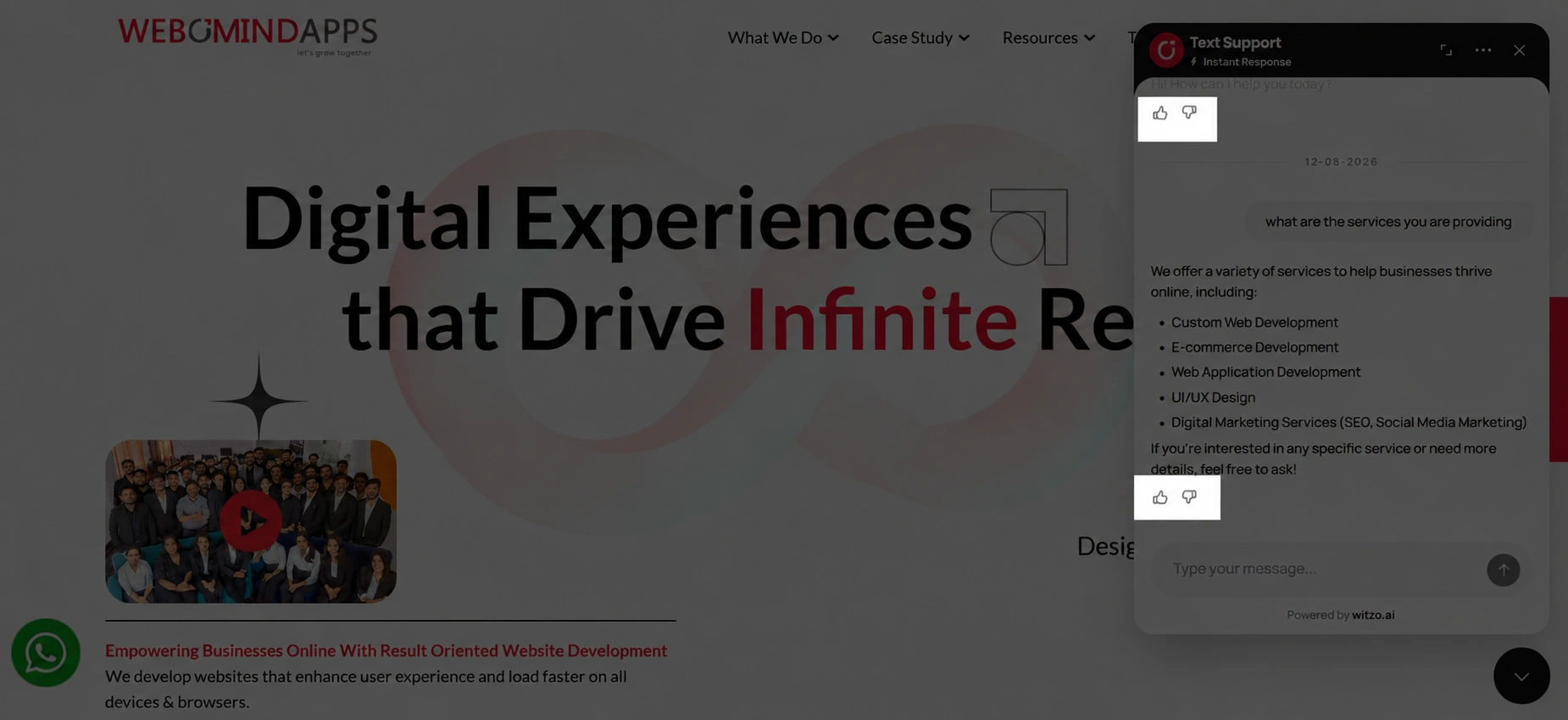
Ratings are submitted per conversation session and stored as feedback signals.
How Ratings Are Tracked
You can use ratings to:
- monitor rating trends
- identify negative feedback patterns
- improve data sources if accuracy drops
Ratings do not alter answers automatically.
Plan Gating
| Feature | Availability |
|---|---|
| Visitor thumbs up/down feedback | Available when the rating control is enabled for the widget experience |
| Session-level rating storage | Available with conversation tracking |
| Automatic retraining from ratings | Not available |
Where Admins Review Ratings
Ratings should be reviewed alongside conversation quality and source-content maintenance.
Use your dashboard workflow to:
- open conversations or analytics views tied to response quality
- identify repeated thumbs-down patterns
- inspect the source content behind low-rated answers
- retrain after the content is corrected
Important Notes or Limitations
- No detailed comment box is currently included in this workflow.
- Ratings are session-based.
- No automated retraining is triggered by ratings.