Install on Custom HTML or Framework Sites
Install the Witzo widget globally so it loads once on every page of your website or app.
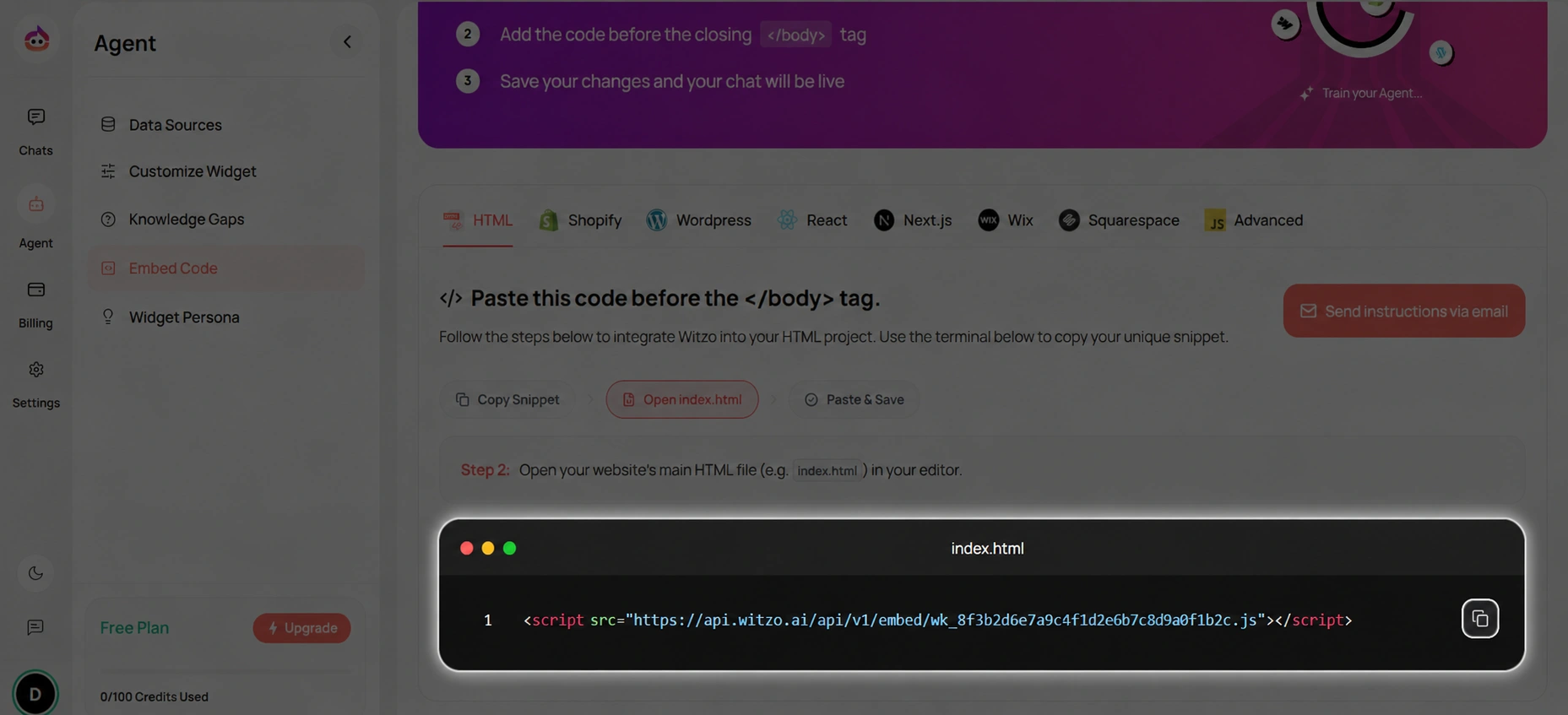
Copy the Dashboard-Provided Embed Code
Always copy the embed snippet directly from Dashboard > Widget Customization or the installation panel shown in your workspace. Do not hand-type the script URL or widget key.
The copied snippet contains:
- the correct hosted Witzo script URL for your environment
- your widget key
- any workspace-specific configuration already attached to the widget
Use the dashboard snippet exactly as shown there. If you want an example for implementation reviews or internal documentation, use a clearly redacted sample like this:
<script src="https://api.witzo.ai/api/v1/embed/wk_8f3b2d6e7a9c4f1d2e6b7c8d9a0f1b2c.js"></script>
Replace the redacted widget key with the real key from your dashboard. If your workspace shows a different script domain or additional attributes, the dashboard snippet takes priority over this example.
Script Placement
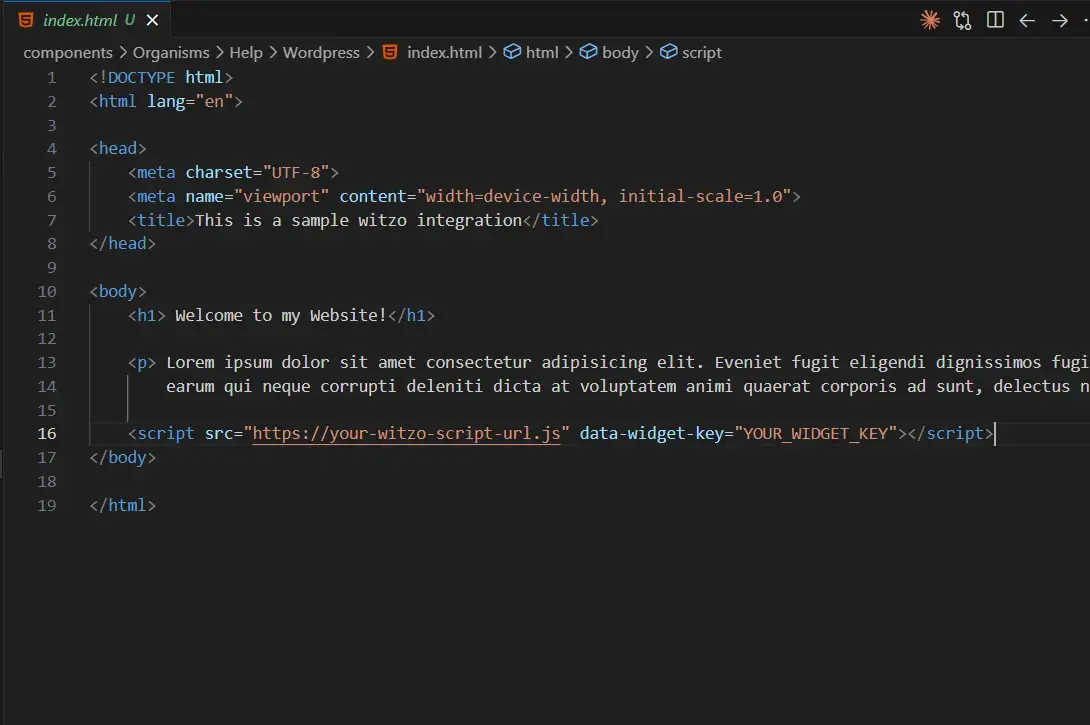
Add the copied embed script to your main layout file:
- Static HTML: add it before
</body> - PHP templates: add it in the shared footer include
- Framework layouts: add it in the global layout component
- CMS templates: add it once in the site-wide footer, not on individual pages
Copy widget script
Paste before </body>
SPA Considerations
- Ensure the script loads once globally.
- Do not re-initialize on every route change.
- Avoid dynamic injection on page transitions.
React and Next.js Notes
- Add the script in
_document.jsor another global layout before</body>. - If you use
next/script, prefer an after-interactive strategy. - Avoid placing the widget script inside individual page components.
Vue, Nuxt, and Angular Notes
- Vue: add the script in the root
index.htmlor the global app shell. - Nuxt: load the script in
app.vue, a layout, or with a client-only script strategy. - Angular: add the script in
src/index.htmlbefore the closing</body>. - For all SPA frameworks, keep the embed code in a single global location so route changes do not create duplicate widgets.
Important Notes
- Script must load after page DOM is available.
- If you use a strict Content Security Policy, allow the Witzo script domain.
- If the widget does not appear, verify both the widget key and the approved domain in your dashboard settings.