Multi-Language Support
Witzo supports multilingual content at the data level, enabling content handling across multiple languages.
Overview
If your website or documents contain content in multiple languages, Witzo can index and respond using that content. Language behavior depends on your data sources. There is no separate language settings panel in the dashboard.
Documented Language Examples
The current docs set explicitly references multilingual behavior using examples such as:
- English
- Arabic
- French
- Hindi
If your team markets broader language support, keep the product documentation and marketing claims aligned with the languages and workflows you have actually validated.
How Multilingual Content Works
Witzo indexes the content you provide in data sources. If your website includes:
- English pages
- Arabic pages
- French product documents
all of that content is scraped, chunked, and stored in the knowledge index.
When a visitor asks a question:
- The system retrieves relevant chunks from your indexed content.
- The AI generates a response based on those chunks.
- The response language typically follows the visitor's question language.
Language behavior depends on:
- quality of multilingual content
- clear page structure
- consistent translations across pages
There is no manual language switcher inside the widget configuration itself.
Configure the Default Language
You can set the default language for your AI widget from:
Dashboard > Agent > Customize Widget > Default Language
Select the language you want your widget to use by default. The selected language is applied as the default language for new conversations.
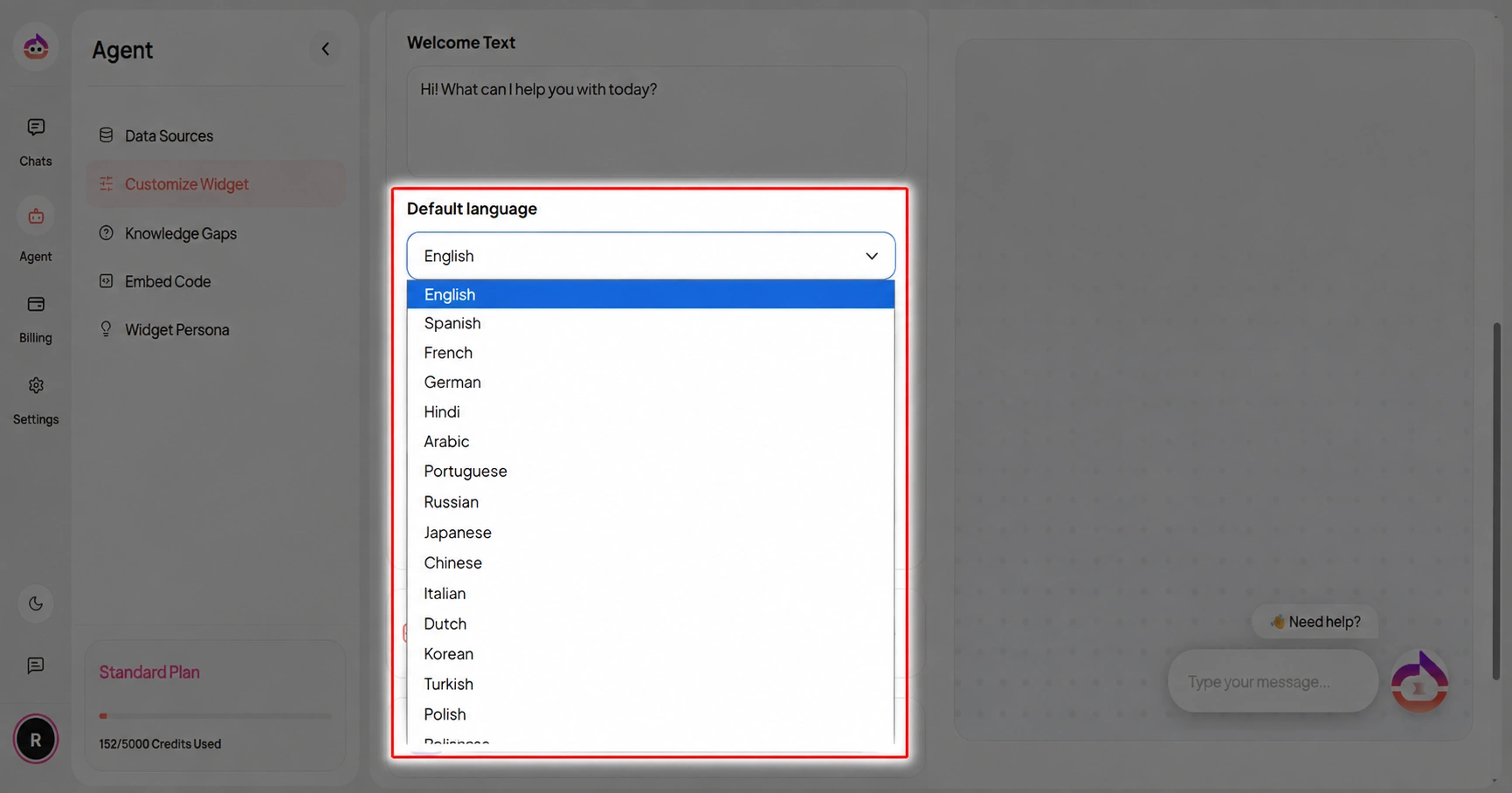
Choose the language that matches the primary audience of your website. Visitors can switch to another available language from the chat widget when the language switcher is enabled.
Switch Language from the Chat Widget
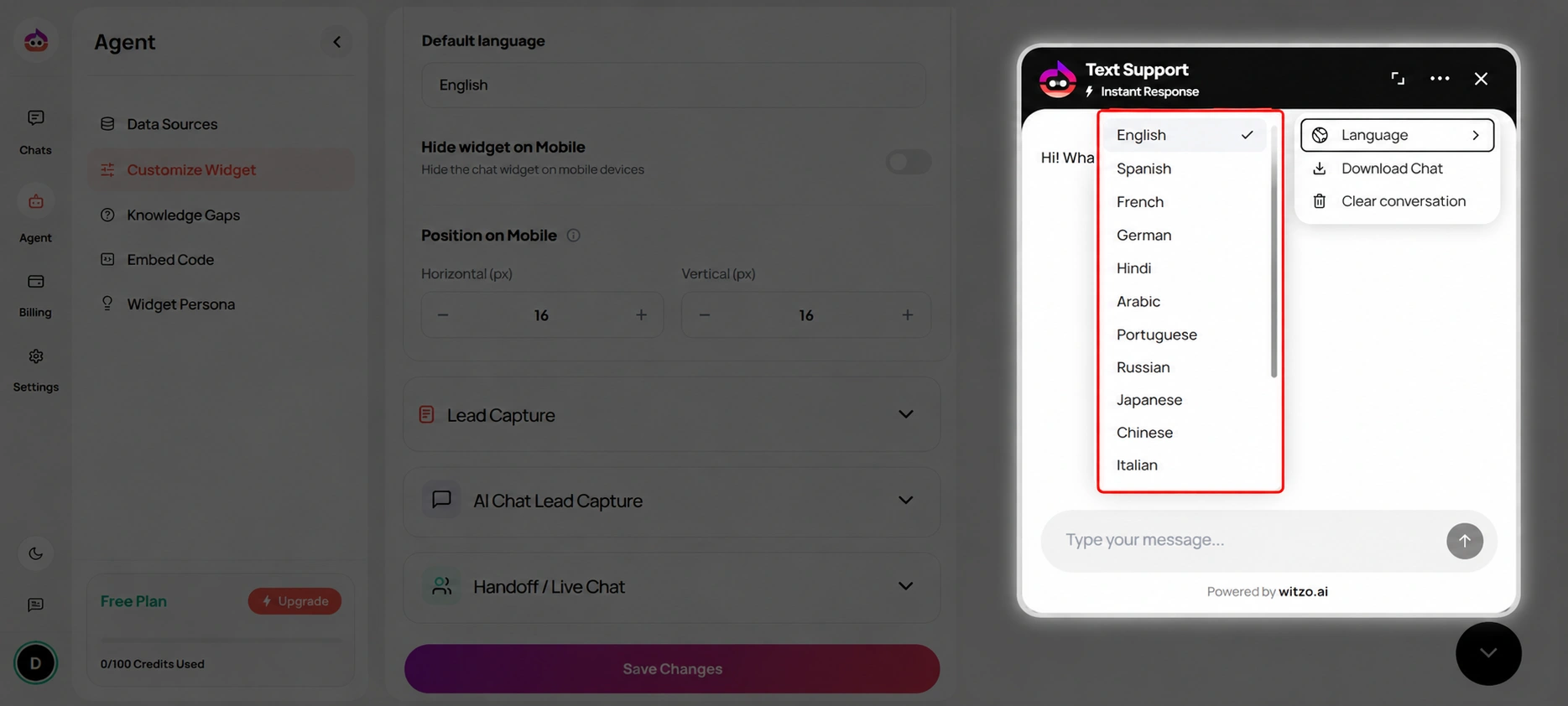
Visitors can change the conversation language directly from the chat widget using the language selector.
This allows each visitor to choose their preferred language without changing the default language configured by the administrator.
For example:
- The administrator sets English as the default language.
- A visitor opens the chat widget.
- The visitor opens the language selector.
- The visitor selects Hindi.
- The conversation continues in the selected language.
This is especially useful for websites that serve customers from multiple regions.
Best Practices for Multi-Language Setup
1. Use Separate URLs Per Language
Example:
example.com/en/
example.com/ar/
Avoid mixing languages on the same page.
2. Keep Translations Complete
Partial translations reduce answer accuracy. Ensure consistency across:
- navigation
- product descriptions
- FAQs
- policy pages
3. Train All Language URLs
Go to Dashboard > Data Sources > Add URL.
Add each language root URL separately if needed.
4. Avoid Auto-Translated Content
Machine-only translations can reduce retrieval accuracy. Use clean, reviewed translations where possible.
- There is no dedicated language configuration screen.
- Language detection is based on user input and indexed content.
- Widget welcome message must be manually set in one language.
- Auto language switching UI is not currently available in the dashboard.
- Use validated multilingual content rather than assuming every language mentioned in marketing is equally production-ready.